local transcription software
Local Transcription Software: How to Choose
Local transcription software converts audio to text on your own computer instead of requiring every recording to be uploaded to a browser service. This guide compares practical desktop choices, explains where Vibe fits, and shows what to test before processing sensitive audio.
Choose for the recording, not the feature list
The best option depends on your operating system, file types, speaker count, hardware, export needs, and correction time. Start with a short representative file before committing to a long interview or archive.
Confirm that core transcription can run locally after model files are downloaded.
Check Windows, macOS, or Linux package support before comparing secondary features.
Review names, numbers, timestamps, and speaker labels against the original recording.
A safe evaluation workflow
- Download only from the official project or store page and read the current release notes.
- Test a two-to-five-minute clip with noise, accents, names, and more than one speaker.
- Compare accuracy, processing time, memory use, exports, and correction effort.
Local transcription software comparison
These tools overlap, but they are not identical. Availability, pricing, models, and platform support can change, so verify the official source before installing.
| Software | Best fit | Platforms | Important tradeoff |
|---|---|---|---|
| Vibe | Local audio and video files with an open-source workflow | Windows, macOS, Linux | Flexible exports; accuracy still needs review |
| Buzz | Open-source desktop transcription and microphone workflows | Windows, macOS, Linux | Compare current model and export support |
| MacWhisper | A polished macOS-first workflow | macOS | Features are split between free and paid editions |
| OpenWhispr | Local speech-to-text and dictation experiments | Check current official packages | Verify release maturity and platform details |
Official project pages checked on 2026-07-20. Editorial comparison, not a security certification.
What local transcription really means
Local usually means the speech model runs on your computer and the core recording does not need to be sent to a hosted transcription service. Initial setup may still download the app, model files, or updates.
Do not assume every optional feature is offline. Translation, AI rewriting, URL import, crash reporting, update checks, or third-party providers may use a network connection.
- Core model execution
- Model download source
- Optional network features and storage policy
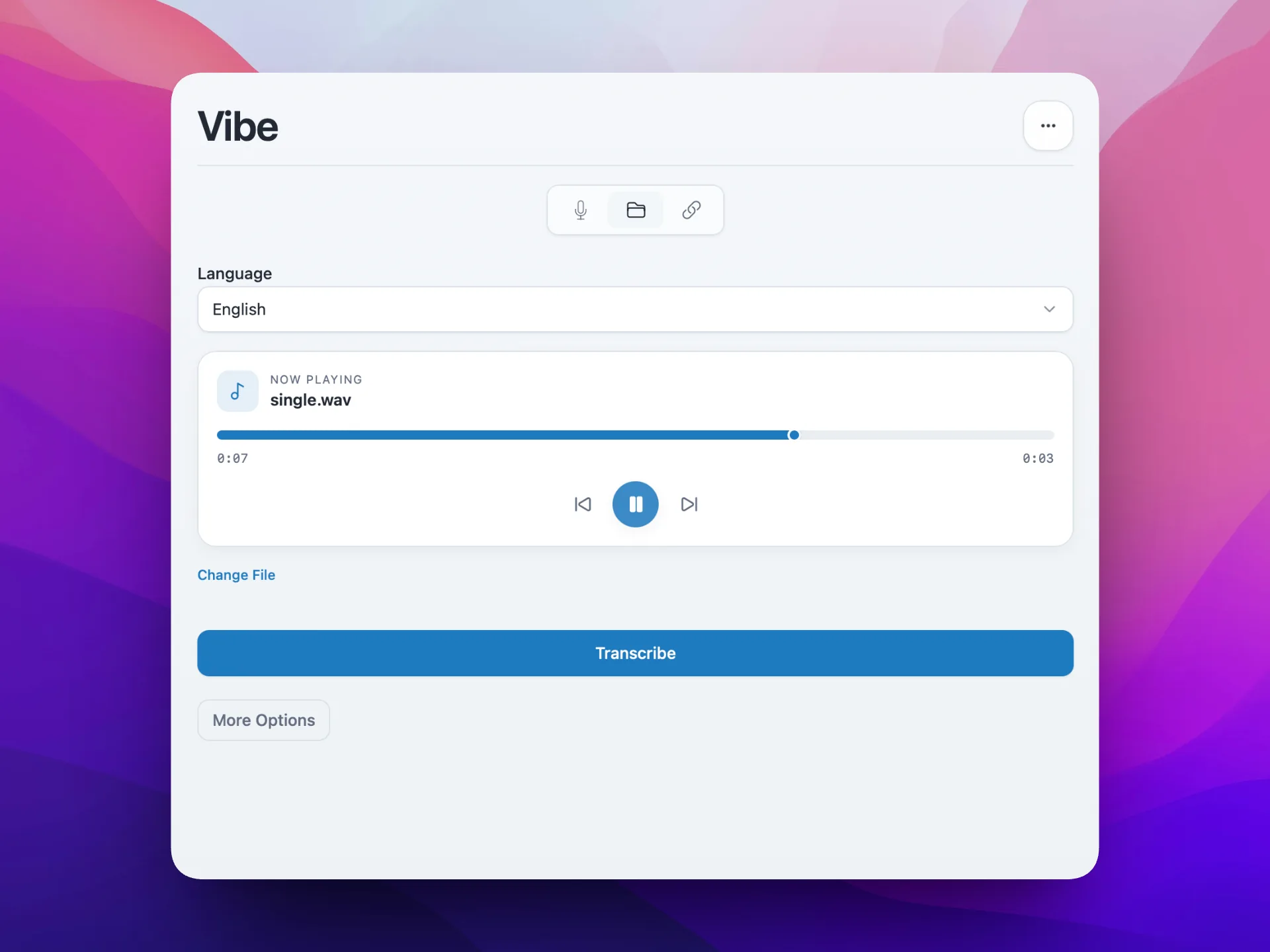
Compare accuracy with correction time
Test the accents, room noise, domain vocabulary, crosstalk, and file duration you actually handle. A benchmark is less useful than the time needed to create trustworthy text.
A fast draft can still be expensive if names, numbers, and quotations require constant correction. Keep the audio beside the transcript and mark uncertain passages.
- Test representative audio
- Measure total review time
- Verify critical quotes against an unchanged source copy
Match the app to hardware and exports
Large Whisper models can require substantial memory and processing time. A smaller model may be more practical on an older laptop.
Use TXT or DOCX for editing, SRT or VTT for captions, and JSON when another workflow needs timestamps or structured data.
- Available RAM and storage
- CPU, GPU, or Apple silicon support
- Required export formats, batch processing, and speaker labels
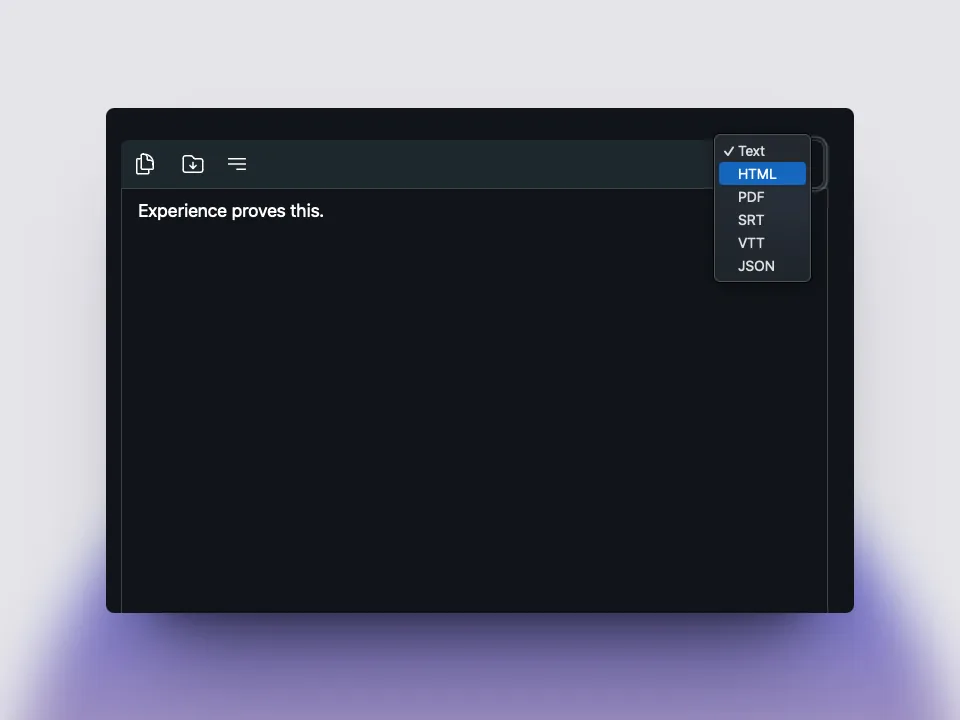
When Vibe is the practical choice
Vibe is a strong candidate when you want an open-source desktop app, official packages for major desktop systems, local audio or video processing, and multiple transcript formats.
It is not automatically best for every person. A macOS-only user may prefer deeper platform integration, while a team may require centralized collaboration.
Privacy and safety checklist
Local processing reduces routine uploads, but privacy also depends on device security, backups, shared folders, plugins, and exported transcript storage.
Use official downloads, keep the operating system updated, review release notes, and do not claim perfect accuracy or safety for regulated data.
Why local transcription software matters
local transcription software stays useful when official source is handled as part of a real Vibe workflow. The page explains the official GitHub source, the local desktop app, Whisper transcription, audio and video files, subtitles, privacy, and review. Users should treat local transcription software as a practical checklist: choose the right package, test a short recording, inspect the transcript, correct names and timestamps, and keep the Vibe version with the exported text. That repeatable process makes local transcription software more trustworthy than a generic software directory page.
local transcription software stays useful when privacy is handled as part of a real Vibe workflow. The page explains the official GitHub source, the local desktop app, Whisper transcription, audio and video files, subtitles, privacy, and review. Users should treat local transcription software as a practical checklist: choose the right package, test a short recording, inspect the transcript, correct names and timestamps, and keep the Vibe version with the exported text. That repeatable process makes local transcription software more trustworthy than a generic software directory page.
local transcription software stays useful when audio transcription is handled as part of a real Vibe workflow. The page explains the official GitHub source, the local desktop app, Whisper transcription, audio and video files, subtitles, privacy, and review. Users should treat local transcription software as a practical checklist: choose the right package, test a short recording, inspect the transcript, correct names and timestamps, and keep the Vibe version with the exported text. That repeatable process makes local transcription software more trustworthy than a generic software directory page.
How to use local transcription software
local transcription software stays useful when video transcription is handled as part of a real Vibe workflow. The page explains the official GitHub source, the local desktop app, Whisper transcription, audio and video files, subtitles, privacy, and review. Users should treat local transcription software as a practical checklist: choose the right package, test a short recording, inspect the transcript, correct names and timestamps, and keep the Vibe version with the exported text. That repeatable process makes local transcription software more trustworthy than a generic software directory page.
local transcription software stays useful when subtitles is handled as part of a real Vibe workflow. The page explains the official GitHub source, the local desktop app, Whisper transcription, audio and video files, subtitles, privacy, and review. Users should treat local transcription software as a practical checklist: choose the right package, test a short recording, inspect the transcript, correct names and timestamps, and keep the Vibe version with the exported text. That repeatable process makes local transcription software more trustworthy than a generic software directory page.
local transcription software stays useful when meeting notes is handled as part of a real Vibe workflow. The page explains the official GitHub source, the local desktop app, Whisper transcription, audio and video files, subtitles, privacy, and review. Users should treat local transcription software as a practical checklist: choose the right package, test a short recording, inspect the transcript, correct names and timestamps, and keep the Vibe version with the exported text. That repeatable process makes local transcription software more trustworthy than a generic software directory page.
Privacy and accuracy for local transcription software
local transcription software stays useful when batch jobs is handled as part of a real Vibe workflow. The page explains the official GitHub source, the local desktop app, Whisper transcription, audio and video files, subtitles, privacy, and review. Users should treat local transcription software as a practical checklist: choose the right package, test a short recording, inspect the transcript, correct names and timestamps, and keep the Vibe version with the exported text. That repeatable process makes local transcription software more trustworthy than a generic software directory page.
local transcription software stays useful when Whisper models is handled as part of a real Vibe workflow. The page explains the official GitHub source, the local desktop app, Whisper transcription, audio and video files, subtitles, privacy, and review. Users should treat local transcription software as a practical checklist: choose the right package, test a short recording, inspect the transcript, correct names and timestamps, and keep the Vibe version with the exported text. That repeatable process makes local transcription software more trustworthy than a generic software directory page.
local transcription software stays useful when platform packages is handled as part of a real Vibe workflow. The page explains the official GitHub source, the local desktop app, Whisper transcription, audio and video files, subtitles, privacy, and review. Users should treat local transcription software as a practical checklist: choose the right package, test a short recording, inspect the transcript, correct names and timestamps, and keep the Vibe version with the exported text. That repeatable process makes local transcription software more trustworthy than a generic software directory page.
Next steps after local transcription software
local transcription software stays useful when review workflow is handled as part of a real Vibe workflow. The page explains the official GitHub source, the local desktop app, Whisper transcription, audio and video files, subtitles, privacy, and review. Users should treat local transcription software as a practical checklist: choose the right package, test a short recording, inspect the transcript, correct names and timestamps, and keep the Vibe version with the exported text. That repeatable process makes local transcription software more trustworthy than a generic software directory page.
local transcription software stays useful when file storage is handled as part of a real Vibe workflow. The page explains the official GitHub source, the local desktop app, Whisper transcription, audio and video files, subtitles, privacy, and review. Users should treat local transcription software as a practical checklist: choose the right package, test a short recording, inspect the transcript, correct names and timestamps, and keep the Vibe version with the exported text. That repeatable process makes local transcription software more trustworthy than a generic software directory page.
local transcription software stays useful when team sharing is handled as part of a real Vibe workflow. The page explains the official GitHub source, the local desktop app, Whisper transcription, audio and video files, subtitles, privacy, and review. Users should treat local transcription software as a practical checklist: choose the right package, test a short recording, inspect the transcript, correct names and timestamps, and keep the Vibe version with the exported text. That repeatable process makes local transcription software more trustworthy than a generic software directory page.
local transcription software stays useful when accuracy checks is handled as part of a real Vibe workflow. The page explains the official GitHub source, the local desktop app, Whisper transcription, audio and video files, subtitles, privacy, and review. Users should treat local transcription software as a practical checklist: choose the right package, test a short recording, inspect the transcript, correct names and timestamps, and keep the Vibe version with the exported text. That repeatable process makes local transcription software more trustworthy than a generic software directory page.
local transcription software stays useful when release updates is handled as part of a real Vibe workflow. The page explains the official GitHub source, the local desktop app, Whisper transcription, audio and video files, subtitles, privacy, and review. Users should treat local transcription software as a practical checklist: choose the right package, test a short recording, inspect the transcript, correct names and timestamps, and keep the Vibe version with the exported text. That repeatable process makes local transcription software more trustworthy than a generic software directory page.
local transcription software stays useful when open source trust is handled as part of a real Vibe workflow. The page explains the official GitHub source, the local desktop app, Whisper transcription, audio and video files, subtitles, privacy, and review. Users should treat local transcription software as a practical checklist: choose the right package, test a short recording, inspect the transcript, correct names and timestamps, and keep the Vibe version with the exported text. That repeatable process makes local transcription software more trustworthy than a generic software directory page.
FAQ
vibe transcribe faq
vibe transcribe faq local transcription software?
local transcription software should be checked against the official Vibe GitHub release, tested with a short file, and reviewed before sensitive work.
Is local transcription software local?
local transcription software focuses on Vibe local transcription, while optional summaries or integrations should be reviewed separately.
Who should use local transcription software?
local transcription software is useful for audio, video, subtitles, meeting notes, batch jobs, and privacy-conscious desktop transcription.
How to improve local transcription software?
Improve local transcription software with clear audio, correct language, a suitable model, and manual review of names, timestamps, and speaker labels.
FAQ
Local transcription software questions
What is the best local transcription software?
The best option supports your operating system, produces accurate drafts from your recordings, exports the formats you need, and keeps review time manageable.
Is local transcription completely offline?
Core model processing can be local, but installation, model downloads, updates, and optional features may use the internet.
Is Vibe free and open source?
Vibe is distributed as an open-source project with official GitHub releases. Verify current repository and release information before downloading.
Does local transcription guarantee privacy?
No. Device security, backups, plugins, logs, and transcript storage still matter.
Which export format should I choose?
Use TXT or DOCX for editing, SRT or VTT for captions, and JSON for structured timestamps or data.
offline transcription with vibe
download vibe and start with a short local transcription test.
Download Vibe