speaker diarization
Speaker Diarization with Vibe
Speaker diarization separates a recording into speaker turns so interviews, meetings, podcasts, and calls are easier to review. Vibe lists speaker diarization as an official feature and keeps the transcription workflow on your desktop. It is useful for diarization meaning and speaker-turn review, but labels should be checked against the recording.
What speaker diarization adds
A normal transcript answers what was said. Diarization adds who spoke when, while stable timestamps make each turn easier to verify against the recording.
Use a clear recording with limited overlap between voices.
Enable speaker diarization before starting the transcription job.
Review generic speaker labels and rename them before sharing.
Recommended Vibe workflow
- Download the current official Vibe release and test a short representative clip.
- Choose the language and model, then enable speaker diarization and stable timestamps when timing matters.
- Compare speaker changes with the audio, correct names, and export the reviewed transcript.
What speaker diarization means
Speaker diarization divides audio by speaker identity and assigns temporary labels such as Speaker 1 and Speaker 2. It is different from speech recognition: transcription converts speech into words, while diarization groups those words by voice and time segment.
The result is most useful as a reviewable draft. Similar voices, background noise, interruptions, short responses, and people talking at the same time can cause label changes or merged turns.
- Best fit: interviews, meetings, panel discussions, podcasts, and customer calls.
- Lower fit: one-person narration, music-heavy audio, or recordings with constant overlap.
- Review priority: names, handoffs, short interjections, and timestamp boundaries.
How the output should look after review
Keep timestamps and speaker turns visible during quality control. Rename anonymous labels only after you can identify the voice from the recording, and do not guess when identity is uncertain.
Let us confirm the launch date and the owner for the final review.
I will finish the transcript review on Thursday and flag any unclear names.
I will prepare the summary after the speaker labels are confirmed.
Diarization, timestamps, and export formats
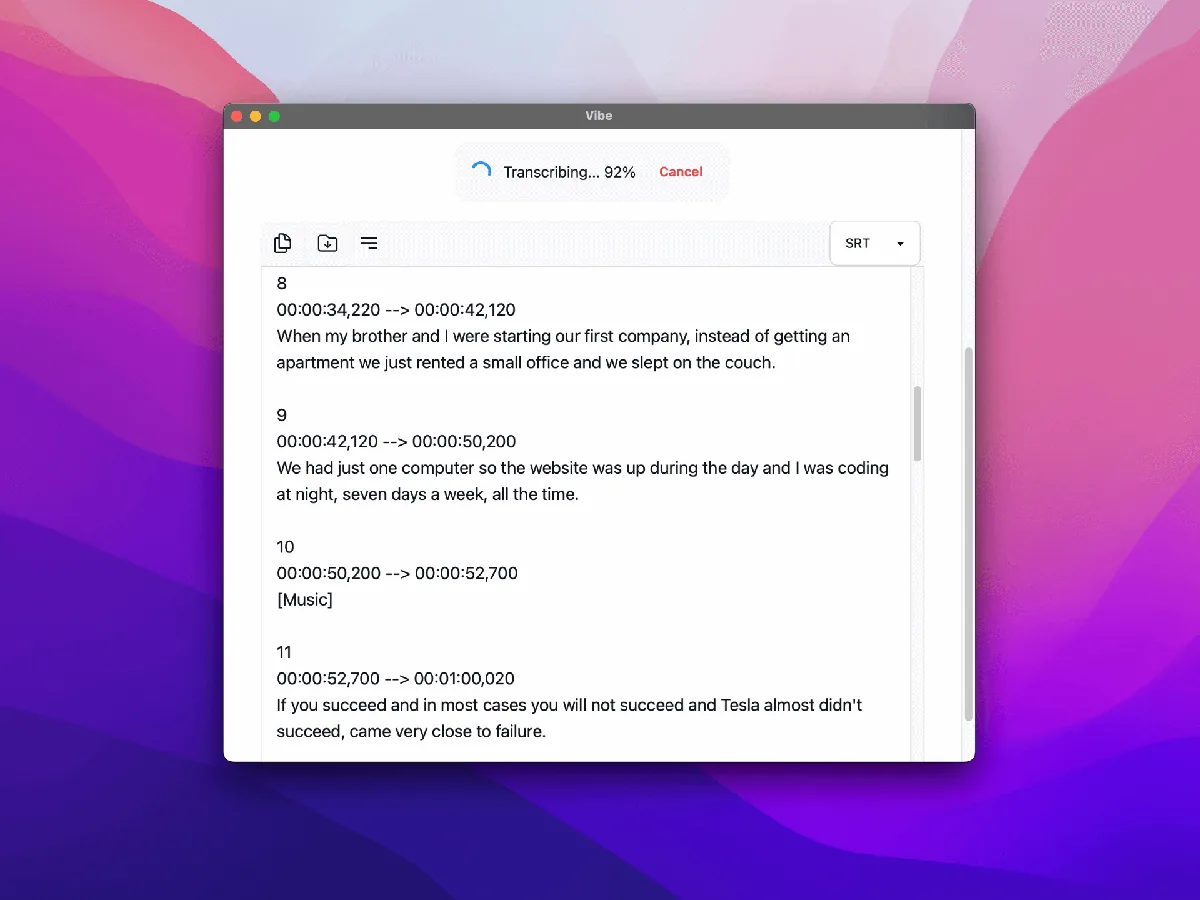
Vibe's official feature list includes speaker diarization, stable timestamp mode, batch transcription, and exports such as SRT, VTT, TXT, HTML, PDF, JSON, and DOCX. Use the format that preserves the evidence your next step needs.
For subtitles, timing is the priority. For meeting notes, preserve the reviewed transcript first, then summarize. For structured processing, JSON may be more useful than a formatted document.
Accuracy limits and practical fixes
Diarization accuracy depends on audio quality and voice separation, not only the selected transcription model. A strong speech model can still produce imperfect speaker boundaries when the recording contains echoes, crosstalk, or very short turns.
Start with a short sample before processing a long archive. If labels switch too often, improve the recording, reduce overlapping speech when possible, and review the transcript in smaller sections.
- Do not present automatic speaker labels as verified identities.
- Keep the original recording available during review.
- Document the Vibe version and settings for repeatable team workflows.
What speaker diarization means in practice
Speaker diarization means grouping a recording into speaker turns: it estimates when the voice changes, then attaches a working label to each segment. It is different from identifying a person with certainty. The labels still need review when voices overlap or the recording is unclear.
In Vibe, diarization is most useful when an interview, meeting, podcast, or call needs a readable sequence of who spoke when. Start with a short sample, compare the labels with the audio, and rename speakers only after you have checked the turns.
- Diarization answers who spoke when, not who the person is.
- Overlapping voices and room noise can reduce reliable speaker changes.
- Review labels before treating them as part of a final transcript.
Official sources
FAQ
Speaker diarization questions
Does Vibe support speaker diarization?
Yes. The official Vibe repository lists speaker diarization as a supported feature. Availability and behavior can change by release, so verify the current official release notes and settings.
Is speaker diarization the same as transcription?
No. Transcription creates the words; diarization separates the recording into speaker turns. A useful multi-speaker transcript needs both processes plus human review.
Can Vibe identify real speaker names automatically?
Treat generated labels as anonymous speaker groups unless you verify the voice yourself. Rename labels only when the recording provides enough evidence.
Should I enable stable timestamps too?
Enable stable timestamps when you need subtitle-grade timing or precise review against the audio. It may take longer, so test a short clip first.
What is speaker diarization?
Speaker diarization separates an audio recording into speaker turns and adds working labels such as Speaker 1 or Speaker 2. It helps organize a transcript, but the labels are not identity verification and should be reviewed against the audio.
offline transcription with vibe
download vibe and start with a short local transcription test.
Download Vibe